Category: Personal Finance | Budgeting & Saving
Knowing how to track daily expenses is one of the simplest ways to take control of your money. Whether you earn ₹15,000, ₹30,000 or ₹60,000 per month, recording what you spend helps you understand where your salary goes and which expenses you can reduce.
To track daily expenses in India, record every payment, including cash, UPI, debit cards, credit cards and automatic deductions. Categorise each expense, calculate your daily total and review your spending every week. You can use a notebook, Microsoft Excel, Google Sheets or a personal expense tracker.
You do not need expensive software or accounting knowledge. A simple five-minute daily routine can be enough to get started.
This guide explains seven practical steps, with Indian examples, a sample expense tracker and a realistic monthly budgeting method.
Table of Contents
What Is Daily Expense Tracking?
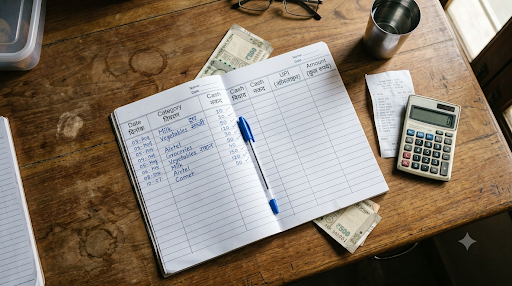
Daily expense tracking is the process of recording and reviewing the money you spend each day.
It involves noting the date, amount, spending category and payment method for each transaction. The purpose is to identify spending patterns and make better financial decisions.
For example, you might spend ₹40 on tea and snacks, ₹100 on transport and ₹150 on lunch. These purchases may seem manageable individually, but together they total ₹290.
If that same spending happens on 22 working days, it becomes ₹6,380.
This is an illustrative calculation, not an estimate of typical Indian spending. It shows why recurring small purchases deserve attention.
The Reserve Bank of India’s financial education material explains how maintaining a financial diary can help households distinguish essential expenses from non-essential spending.
A daily spending record turns that principle into a practical habit.
How to Track Daily Expenses in 7 Simple Steps
The easiest way to learn how to track daily expenses is to start with a basic system and improve it gradually.
Step 1: Choose a Simple Expense Tracking Method
Select a method that you can realistically use every day.
Option A: Notebook
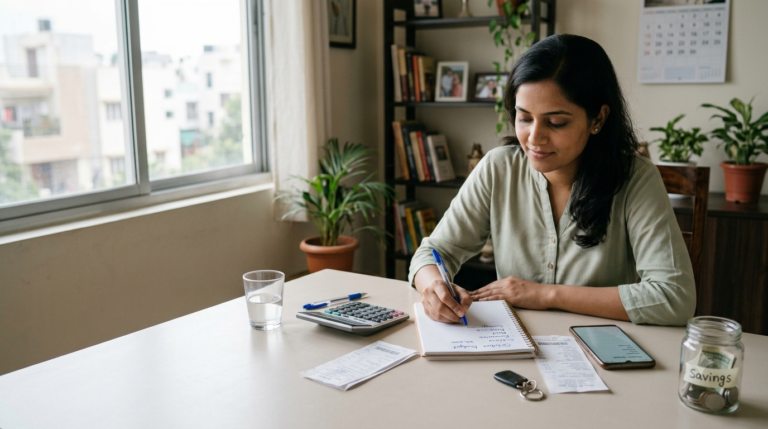
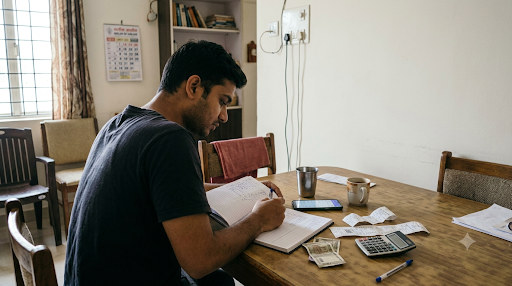
Write down your expenses in a small diary.
Example:
- Tea: ₹20
- Breakfast: ₹50
- Bus fare: ₹40
- Groceries: ₹180
Total daily spending: ₹290.
This method works well for students, older adults and anyone who prefers recording expenses without an app.
Option B: Microsoft Excel or Google Sheets
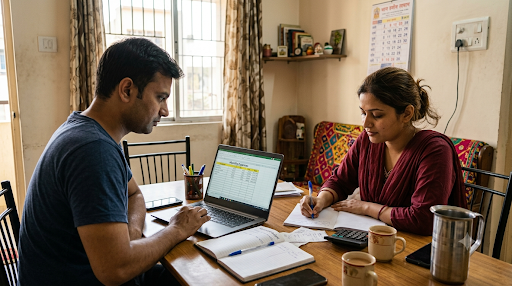
Create a spreadsheet with columns for date, category, description, payment method and amount.
Spreadsheets make it easier to calculate totals, filter transactions and compare spending across months.
They are especially useful if you want a monthly expense tracker that you can customise.
[INTERNAL LINK: Monthly Expense Tracker in Excel for Beginners]
Option C: Expense Tracking App
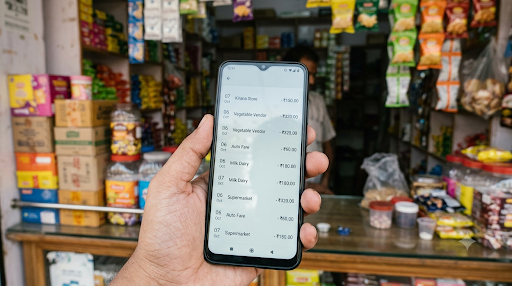
A personal finance app can help you record purchases, organise categories and review spending.
Some apps provide charts, reminders or transaction-import features. These features depend on the app, permissions and supported accounts.
Choose a trustworthy app and review its privacy settings before granting access to financial information.
Best beginner approach: Use whichever method you can maintain consistently. A simple notebook used every day is more valuable than a complicated spreadsheet you abandon.
Step 2: Create Your Daily Expense Categories
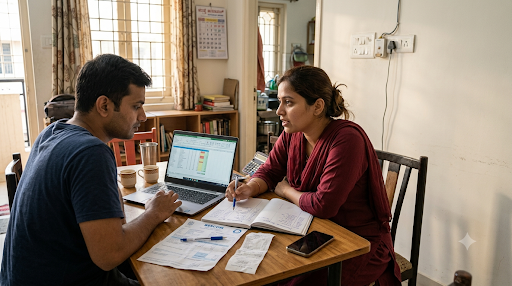
Categorising expenses helps you identify where your money goes.
Start with a few categories instead of creating dozens.
| Expense Category | Examples |
|---|---|
| Food | Breakfast, lunch, snacks |
| Groceries | Vegetables, milk, household supplies |
| Transport | Bus, metro, petrol, auto |
| Housing | Rent, maintenance |
| Bills | Electricity, internet, mobile |
| Shopping | Clothes, accessories |
| Health | Medicines, consultations |
| Entertainment | Movies, subscriptions |
| Education | Books, courses, fees |
| Miscellaneous | Unexpected purchases |
Keep categories consistent from month to month.
For example, if you record restaurant meals under Food, continue using the same category. Otherwise, comparing monthly totals becomes difficult.
You can also mark expenses as essential, discretionary or irregular.
This second classification helps you understand which expenses are necessary and which ones you may be able to reduce.
Step 3: Record Every Payment, Including UPI Transactions
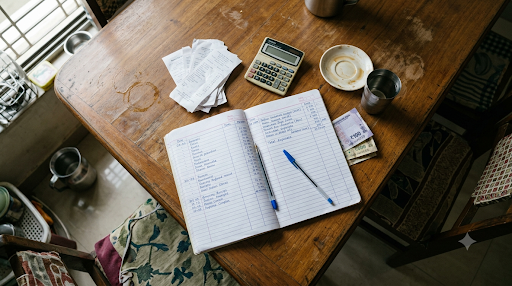
In India, daily purchases often involve a mixture of cash, UPI and cards.
Your expense tracker should include all payment methods.
For each transaction, record:
- Date of purchase
- Item or purpose
- Amount spent
- Expense category
- Payment method
For example, a ₹70 breakfast paid through UPI and a ₹30 tea purchased with cash should both appear in your tracker.
Do not assume that checking one UPI app gives you a complete record of your spending.
You may also have payments from other bank accounts, cards, cash or standing instructions.
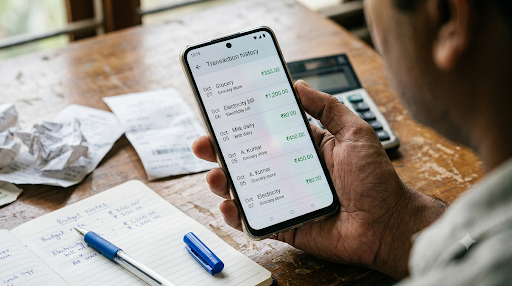
The National Payments Corporation of India (NPCI) confirms that the BHIM app provides a transaction-history feature for reviewing UPI payments.
[EXTERNAL LINK — DOFOLLOW: NPCI UPI FAQs → https://www.npci.org.in/what-we-do/upi/faqs]
Important: A bank transfer between your own accounts is not normally an expense. Record the actual purchase instead, so you do not count the same money twice.
Step 4: Maintain a Daily Expense Tracking Table
A simple daily expense table gives you a clear view of your spending.
Here is an illustrative example for one day.
| Expense | Category | Payment | Amount |
|---|---|---|---|
| Breakfast | Food | UPI | ₹50 |
| Bus fare | Transport | Cash | ₹40 |
| Lunch | Food | UPI | ₹120 |
| Vegetables | Groceries | Cash | ₹160 |
| Mobile recharge | Bills | UPI | ₹199 |
| Tea | Food | Cash | ₹20 |
| Total | ₹589 |
The day’s spending is ₹589.
But the number alone does not explain whether spending was reasonable.
A mobile recharge may cover several weeks, while groceries may last multiple days.
This is why reviewing categories and purchase frequency matters more than judging a single day’s total.
If you use Excel, enter amounts in column E and calculate the total with:
=SUM(E2:E7)
You can also create a separate monthly summary using SUMIF or SUMIFS to calculate category-wise spending.
Step 5: Set a Realistic Daily Spending Limit
A daily spending limit can help you avoid using up your discretionary budget too early.
First, calculate how much money remains after essential commitments and planned savings.
Suppose your monthly take-home income is ₹30,000.
| Monthly Allocation | Amount |
|---|---|
| Rent | ₹8,000 |
| Groceries | ₹4,000 |
| Transport | ₹2,000 |
| Utilities and mobile | ₹1,500 |
| Family and healthcare | ₹2,500 |
| Savings | ₹4,000 |
| Flexible spending | ₹8,000 |
| Total | ₹30,000 |
This is an illustrative budget, not a recommended allocation for every household.
If you have ₹8,000 for flexible spending during a 30-day month:
₹8,000 ÷ 30 = approximately ₹267 per day.
That does not mean you must spend exactly ₹267 every day.
You might spend ₹100 on Monday and ₹400 on Saturday.
The important goal is to keep your total flexible spending within ₹8,000 for the month.
For irregular costs such as annual insurance premiums or festival expenses, maintain separate monthly provisions instead of treating them as ordinary daily spending.
Step 6: Review Your Expenses Every Week
Recording transactions is only the first part of expense tracking.
The real benefit comes from reviewing them.
Choose one day each week to examine your spending.
Ask yourself:
- Which category used the most money?
- Did I buy anything unnecessary?
- Did I exceed my flexible spending budget?
- Are there recurring expenses I can reduce?
- Have I recorded all cash and digital transactions?
Suppose you spend ₹500 on takeaway food every week.
That equals ₹2,000 over four weeks.
Reducing the expense to ₹300 per week would leave ₹800 available for another purpose over those four weeks.
The aim is not to eliminate every enjoyable purchase.
It is to make deliberate choices based on your priorities.
The RBI’s financial education guidance supports maintaining a financial diary to identify avoidable spending and improve household financial planning.
[EXTERNAL LINK — DOFOLLOW: RBI Financial Education Trainer’s Guide → https://www.rbi.org.in/financialeducation/content/GUIDE310113_F.pdf]
Step 7: Review Your Monthly Spending and Adjust Your Budget
At the end of the month, calculate the total amount spent in each category.
Compare those figures with your original budget.
For example:
| Category | Budget | Actual | Difference |
|---|---|---|---|
| Groceries | ₹4,000 | ₹4,500 | +₹500 |
| Transport | ₹2,000 | ₹1,800 | -₹200 |
| Food outside | ₹2,500 | ₹3,200 | +₹700 |
| Entertainment | ₹1,500 | ₹1,000 | -₹500 |
| Total | ₹10,000 | ₹10,500 | +₹500 |
In this example, spending exceeded the combined budget by ₹500.
The next step is to understand why.
Perhaps grocery prices increased, guests visited your home or you ordered more food than expected.
A good budget should reflect your actual needs rather than unrealistic restrictions.
If an expense is consistently higher for a genuine reason, revise the budget. If the expense is avoidable, set a practical reduction target.
Best Ways to Track Daily Expenses in India
Different tracking methods suit different financial habits.
| Method | Best For | Main Advantage | Limitation |
|---|---|---|---|
| Notebook | Beginners | Simple and offline | Manual calculations |
| Excel | Salaried employees | Custom formulas | Requires setup |
| Google Sheets | Mobile and desktop users | Easy synchronisation | Internet needed for syncing |
| Expense app | Frequent digital users | Convenient categories | Privacy and feature differences |
| Bank statement | Account reconciliation | Transaction records | Does not explain every purchase |
For most beginners, a notebook or basic spreadsheet is enough.
People managing multiple accounts, family expenses or freelance income may benefit from a more detailed system.
How to Track Daily Expenses Without an App
You can track expenses without installing anything.
Use a notebook with five columns:
Date | Description | Category | Payment Method | Amount
Record purchases after making them or at the end of the day.
Add the total before going to bed.
At the end of the week, calculate the spending in each category.
This method is useful if you prefer keeping financial information offline.
How to Track Daily Expenses Using Excel
Excel is useful for people who want automatic calculations.
Create the following columns:
- A: Date
- B: Expense
- C: Category
- D: Payment Method
- E: Amount
Enter each transaction on a new row.
To calculate all expenses recorded in rows 2 through 1000, use:
=SUM(E2:E1000)
To calculate Food expenses, use:
=SUMIF(C2:C1000,"Food",E2:E1000)
To calculate expenses for a particular date stored in cell G2, use:
=SUMIF(A2:A1000,G2,E2:E1000)
Ensure dates are stored as actual Excel dates rather than plain text.
You can also use a PivotTable to compare categories by month.
[INTERNAL LINK: How to Create a Personal Expense Tracker in Excel]
How to Track Cash, UPI and Credit Card Expenses Correctly
One common mistake is confusing payments with expenses.
Consider three examples.
Example 1: ATM withdrawal
You withdraw ₹2,000 from your bank account.
This is a transfer from your bank balance into cash, not an immediate ₹2,000 expense.
Record the purchases made with that cash, rather than counting both the withdrawal and those purchases as spending.
Example 2: Credit card purchase
You buy groceries worth ₹1,500 using a credit card.
Record ₹1,500 under Groceries when you make the purchase.
When you later pay the credit card bill, do not count the same ₹1,500 again.
Any separately charged interest or fees should be recorded as additional expenses.
Example 3: UPI payment reversal
You pay ₹300 for an order that is later cancelled and refunded.
Record the original payment and the refund so that your final net spending reflects the reversal.
This approach helps prevent misleading monthly totals.
For accuracy, reconcile your tracker with bank and card statements regularly.
How Much Should You Save After Tracking Expenses?
Expense tracking helps you identify money that may be available for saving.
There is no single savings percentage suitable for everyone.
Your capacity to save depends on income, household responsibilities, debt, medical expenses and living costs.
A person earning ₹20,000 in a high-cost city may have different financial constraints from someone earning the same amount while living with family.
Start by identifying essential expenses and unavoidable commitments.
Then choose a realistic savings target, even if the initial amount is small.
Consider keeping emergency savings separate from routine spending money.
[INTERNAL LINK: How to Track Expenses on a ₹20,000 Salary]
Avoid treating expense tracking as a competition to spend as little as possible. Essential healthcare, nutrition, education and other necessary costs should not be neglected merely to meet an arbitrary savings goal.
6 Common Daily Expense Tracking Mistakes
1. Ignoring Small Purchases
Tea, snacks, delivery charges and convenience fees can accumulate.
Record them alongside larger purchases.
2. Forgetting Cash Payments
UPI histories do not capture cash spending.
Keep a separate record of cash purchases.
3. Counting Transfers as Expenses
Moving money between your own accounts does not mean you have spent it.
Avoid double counting.
4. Tracking Expenses but Never Reviewing Them
A long list of transactions provides limited value unless you examine spending patterns.
Schedule a weekly review.
5. Creating Too Many Categories
An overly detailed system becomes difficult to maintain.
Start with eight to ten useful categories and expand only when needed.
6. Ignoring Irregular Expenses
Annual subscriptions, vehicle servicing, school fees and festivals may not appear every month.
Estimate these costs and set aside money gradually when possible.
A Simple 30-Day Daily Expense Tracking Challenge
If you struggle to maintain a spending record, try this 30-day plan.
Days 1–7: Record everything
Focus only on recording purchases accurately.
Do not worry about changing your habits immediately.
Days 8–14: Identify patterns
Review food, transport, shopping and entertainment expenses.
Look for recurring costs.
Days 15–21: Make one practical change
Choose one spending category where you can reduce unnecessary purchases without affecting essential needs.
For example, prepare lunch at home on selected working days if that is practical for your routine.
Days 22–30: Compare and improve
Calculate category totals and compare them with your available budget.
Identify what worked and what needs adjustment.
After 30 days, you should have a clearer record of your spending habits and a better basis for planning the next month.
Daily Expense Tracking Checklist
Use this short checklist every evening:
- Record all cash purchases.
- Check UPI transactions.
- Add debit and credit card purchases.
- Include applicable automatic payments.
- Categorise every expense.
- Calculate today’s spending.
- Check the remaining flexible budget.
- Review any unusual transactions.
This routine can take only a few minutes once you become familiar with your chosen method.
Final Takeaway: Make Expense Tracking a Daily Habit
Learning how to track daily expenses does not require a complicated financial system.
Start by recording every purchase, organising transactions into clear categories and reviewing your totals regularly.
Whether you use a notebook, Excel, Google Sheets or an expense tracking app, consistency matters more than advanced features.
A reliable daily expense record helps you recognise spending patterns, prepare for upcoming bills and make informed choices about saving.
Start with today’s expenses. After a month, use what you have learned to build a budget that reflects your actual life.
Frequently Asked Questions (FAQ)
1. What is the easiest way to track daily expenses?
The easiest way to track daily expenses is to record every purchase in a notebook, Excel sheet or expense tracking app. Note the date, amount, category and payment method. Review your total spending each evening and compare category totals every week.
2. How can I track daily expenses using my phone?
You can use Google Sheets, a notes app or a personal expense tracking app. Enter cash, UPI and card purchases as they happen. Check your payment histories regularly to identify missing transactions, and review the totals at the end of the day.
3. How do I track UPI expenses in India?
Open your UPI app and review its transaction history. Record completed purchases under categories such as groceries, food, transport and bills. Check all the payment apps and bank accounts you use. Avoid counting transfers between your own accounts as expenses.
4. How can I track daily expenses in Excel?
Create columns for date, description, category, payment method and amount. Enter each expense in a separate row. Use the SUM formula to calculate total spending and SUMIF to calculate category-wise expenses. Review the spreadsheet weekly to identify spending patterns.
5. How much should I spend daily from a ₹20,000 salary?
There is no universal daily spending limit for a ₹20,000 salary. First, subtract essential expenses, debt commitments and planned savings from your take-home income. Divide the remaining flexible spending budget by the number of days in the month to calculate an approximate daily allowance.
6. Is it better to track expenses daily or monthly?
Daily recording and monthly reviewing work best together. Daily tracking helps you remember purchases accurately, including small cash payments. Monthly reviews help you identify larger spending patterns, compare expenses with your budget and adjust your financial plan.