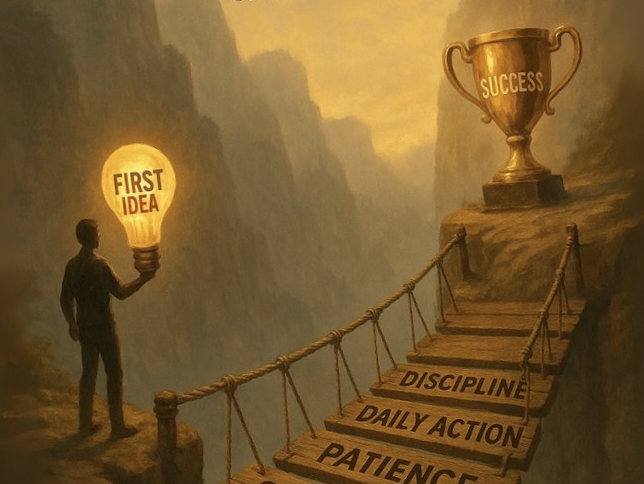

How to Create a System That Actually Works Learn exactly how to create a system from scratch in 20+ actionable steps. Perfect for students and young professionals who want to build habits, processes, and workflows that scale and stick.
What “system” really means in 2026
A system is not just a to‑do list or a calendar. It is a structured, repeatable way of doing something that delivers consistent results with less stress and fewer decisions.apptivo
In plain language:
- A system = fixed steps + clear standards + tools + people (you) using it the same way every time.
- When you create a system, you automate thinking; you want the same desired outcome again and again, even when life is chaotic.
For our niche, we keep returning to one core idea:
“system” = your personal operating system for success.apptivo
Why youth need systems more than ever
Young people today juggle more than any generation before them: studies, internships, side‑hustles, content creation, social‑media pressure, mental‑health challenges, and future‑career anxiety.sprintdojo+1
A good system helps you:
- Stop reinventing the wheel every day.
- Reduce decision fatigue around “what to do first.”
- Build competence and confidence faster because you follow a repeatable process.carlpullein+1
Systems are not only for corporations or coders; they are the secret fuel behind high‑performing students, creators, and founders in their 20s.geeksforgeeks+1
How to create a system: the big‑picture framework
Before you dive into 10,000+‑word detail, internalize this 5‑step framework to create any system:
- Define the outcome (what success looks like).
- Break the work into steps (process mapping).
- Design the tools and rules (how, when, who).
- Test and iterate (run it live, find weak points).
- Scale and document (turn it into a reusable blueprint).returnoninteriors+1
All the list‑style steps below plug into this framework.
1. Ask the right question: what system do you really need?
You cannot create a system if you do not know which activity you want to systemize. Too many youth try to “be more productive” with no clear bottleneck in mind.sprintdojo+1
Start here:
1.1 Pick 1–2 high‑impact areas
Ask yourself:
- Where do you repeatedly waste time or feel overwhelmed?
- Which 1–2 activities, if done perfectly every day, would change your life the most?
Examples for youth:
- Study / exam‑prep system
- Social‑media content system (YouTube Shorts, Reels, etc.)
- Fitness or health routine
- Side‑business or freelancing workflow
- Money‑management system (income, expenses, saving)carlpullein+1
Choose one to start. Call it your pilot system.
In our niche, we keep returning to this rule:
“You don’t build a whole factory on day one; you build one machine first.”
1.2 Define the exact outcome
Write down the measurable outcome of your system in one sentence.
Examples:
- “My study system will help me score 80%+ in every exam without all‑nighters.”
- “My content‑creation system will help me publish 5 Short‑form videos/week without burning out.”sprintdojo+1
If the outcome is vague, the system will be vague.
2. Map your current process (before you design anything new)
2.1 Watch yourself like a scientist
For 3–7 days, do not try to change anything. Simply observe how you currently handle the chosen activity.
- What time do you start?
- Where do you get distracted?
- Which apps or tools do you switch between?
- When do you feel stuck?
Jot down notes in a notebook or notes app. This is your current‑state process map.returnoninteriors+1
2.2 List every step you actually do
Turn your notes into a step‑by‑step list, even if it looks messy.
Example: “How I currently study”
- Open phone, scroll TikTok/Instagram for 20–30 minutes.
- Open laptop, open YouTube, watch motivational videos.
- Open PDF, read 10 pages, get distracted.
- Check WhatsApp, reply to 10 messages.
- Feel guilty, then try to cram before the exam.
Seeing this written down exposes gaps, bottlenecks, and decision points.carlpullein+1
3. Redesign the system on paper (or screen)
3.1 Ask: “What should an ideal system do?”
For your chosen activity, the ideal system should:
- Deliver the defined outcome consistently.
- Minimize wasted time and mental effort.
- Be simple enough that you can follow it even on a bad day.sprintdojo+1
Write those 3–5 expectations in one place.
3.2 Break the ideal process into phases
Divide the system into three big phases:
- Preparation – what you do before the main activity.
- Execution – what you actually do during the activity.
- Review & Reset – what you do after it is finished.apptivo+1
Example: Study system
- Preparation: select subject, collect notes, set timer, block distractions.
- Execution: 25–50‑minute focused blocks + short breaks.
- Review & Reset: quick quiz, save mistakes, plan next session.carlpullein+1
This structure is easy to remember and scale across domains (content, fitness, money, etc.).apptivo+1
4. Choose tools and rules for your system
4.1 Decide on 1–2 core tools
Young people often drown in tools: 10 apps, 5 browsers, 3 note‑taking systems.sprintdojo+1
Rule:
- Pick one main tool for each layer of your system:
- Capture (notes, tasks)
- Calendar (time blocking)
- Content or project workspace (Notion, Sheets, Docs, etc.)
Example setup for a youth study system:
- Tasks + ideas: Google Keep / Apple Notes
- Time blocking: Google Calendar
- Study material: Google Drive / OneDrive
- Flashcards: Anki
Keep it simple; complexity kills consistency.carlpullein+1
4.2 Set clear rules (not just “good intentions”)
A system with no rules is just a description.apptivo
Convert vague ideas into exact rules.
Examples:
- “Study session timing” rule:
- Start at 7:00 AM; 50 minutes work, 10 minutes break; finish by 9:00 AM.
- “Distraction rule”:
- Phone on Airplane mode during study blocks; no social media until after lunch.
Every rule should be:
- Specific
- Enforceable
- Measurable
4.3 Fix decision points in advance
One of the biggest drains on youth productivity is micro‑decisions like:
- “Should I watch this video or read the notes?”
- “Should I post today or not?”
A mature system removes those decisions by:
- Pre‑choosing formats
- Pre‑choosing topics
- Setting fixed schedules
Example: Content‑creation system
- Output: 3 YouTube Shorts + 2 Reels every week.
- Day 1: brainstorm ideas.
- Day 2: write scripts.
- Day 3: record.
- Day 4: edit.
- Day 5: publish.
Now you do not decide “what to do”; you look at the calendar and follow the plan.shopify+1
5. Test your system in real life
5.1 Run a 7‑day experiment
Do not try to perfect your system on paper. Launch a Version 1.0 and run it for 7 days.sprintdojo+1
During the test:
- Follow the steps exactly.
- Note what feels easy and what feels painful.
- Track one key metric:
- Hours studied
- Videos published
- Workouts completed
- Rupees saved
5.2 Track friction points like a product manager
After 7 days, ask:
- Where did you skip the system? Why?
- When did you feel demotivated or stuck?
- Which tools slowed you down?
Write down 3–5 friction points; these become your iteration list.apptivo+1
6. Iterate and refine (Version 2.0)
6.1 Simplify, don’t over‑complicate
Many youth try to fix a failing system by adding more steps, more tools, more complexity.carlpullein+1
Counter‑intuitive truth:
- More rules → more resistance
- Fewer, clearer rules → higher adherence
So iteration often means:
- Cutting low‑value steps
- Merging similar tasks
- Removing unnecessary tools
6.2 Automate small decisions
Use your system to automate teeny decisions that currently eat your willpower.
Examples:
- “If it is Monday morning, I spend 30 minutes on content planning.”
- “If my bank balance drops below ₹5,000, I stop ordering Swiggy for 7 days.”
These “if‑then” rules are part of your decision‑protocol layer.gohighbrow+1
7. Document your system like a pro
7.1 Write a system manual (even if only you read it)
A system that lives only in your head is fragile.apptivo
Create a simple document with:
- Title: “Study System v1.2”
- Purpose: “To score 80%+ without burning out.”
- Phases: Preparation → Execution → Review & Reset.
- Tools: App list + how each is used.
- Rules: Clear, written‑down rules.
- Metrics: How you track success.
You can use:
- Google Docs
- Notion
- A simple PDF
7.2 Add visuals: flowcharts and checklists
Youth respond well to visuals.sprintdojo+1
Add to your system document:
- Flowchart of the main steps (Preparation → Execution → Review).
- Checklist for each phase that you can tick off daily.
Tools you can use:
- Draw.io (free)
- Whimsical
- Canva flowchart templates
8. Scale your system into a “network of systems”
8.1 Extend the same logic to other areas
Once you have one working system, the pattern repeats everywhere:apptivo+1
- Money system
- Fitness system
- Relationship system (how you communicate with parents/friends/partners)
- Career‑building system (networking, learning, applying)
Each new system uses the same structure:
- Define outcome
- Break into phases
- Pick tools and rules
- Document and iterate
8.2 Link systems together
You are not building 10 isolated systems; you are building a personal ecosystem.sprintdojo
Example links:
- Study system feeds into exam‑score results → affects college admission system → influences career system.
- Content‑creation system feeds into audience growth → affects side‑income system.
Mapping these links helps you see where one system’s failure hurts another.apptivo+1
9. Teach your system to friends (test it again)
9.1 Ask a friend to execute it blindly
A powerful test of any system: can someone else follow it and get the same result without you coaching them?apptivo
Pick a trusted friend and:
- Share your written system.
- Ask them to follow it for 3–7 days.
- Gather feedback:
- What was confusing?
- What felt missing?
9.2 Turn feedback into Version 3.0
Use your friend’s notes to:
- Clarify vague steps.
- Add missing sub‑steps.
- Fix wrong assumptions about “common sense.”
This makes your system more robust and scalable.apptivo
10. Keep evolving your system like software
10.1 Treat your system like an app with updates
In our niche, we keep saying:
“Your system is not a one‑time project; it is a living product that ships updates.”
Schedule a quarterly review where you:
- Look at recent results.
- Compare them to your original outcome definition.
- Adjust or add rules based on new situations (new semester, new job, new platform, etc.).carlpullein+1
10.2 Watch for “context explosions”
Youth life changes fast:
- New semester
- New college
- New city
- New relationship
- New app or platform (e.g., new Short‑form trend)
When context changes, your system should adapt, not break.sprintdojo+1
Add a small rule:
- “Whenever my environment changes, I audit my 3 main systems within 1 week.”
11. How to create a system if you are a student
11.1 Start with a 90‑minute daily study block
Many students fail because they try to systemize “all subjects at once.”carlpullein+1
Better:
- Pick one core subject first.
- Design a 90‑minute block for it every day.
- Structure that block into:
- 10 minutes planning
- 60–70 minutes deep work
- 10–20 minutes review
Document that block as your Study Core System.sprintdojo
11.2 Add a weekly “topic‑planning” ritual
Every Sunday, spend 30 minutes to:
- Choose 2–3 topics for the week.
- Assign them to specific days.
- Note which chapters or videos you will use.
This turns your study‑time from random to strategy‑driven.carlpullein+1
11.3 Build a mistake‑tracking system
Winning systems capture learning automatically.sprintdojo
Create a Mistakes Log (Google Sheet or Notion):
- Column: Date
- Column: Topic
- Column: Exact mistake
- Column: Why it happened
- Column: How to avoid next time
Review this log before every exam to reduce repeat errors.sprintdojo
12. How to create a system if you are a content creator
12.1 Focus on the content‑creation loop, not the “virality” idea
Youth creators often think: “If I could just create the perfect viral video…”shopify+1
A better system question:
- “How can I ship 100 videos this year with minimal stress?”
Answer: create a repeatable loop.shopify
12.2 Build a 7‑day content‑creation cycle
Example system for a youth creator (YouTube Shorts / Reels):
| Day | Task |
|---|---|
| Sunday | Audit last week’s performance; pick 3 new topics |
| Monday | Write 3–5 scripts |
| Tuesday | Record 3–5 clips |
| Wednesday | Edit 3–5 videos |
| Thursday | Upload 3; schedule next videos |
| Friday | Analyze metrics; refine CTAs and intros |
| Saturday | Rest + light planning / research |
gohighbrow+1
This system removes the daily “what should I post?” question.
12.3 Add a “script bank” to reduce friction
Create a master script‑bank document where you store:
- Hook templates
- Transition phrases
- Closers / CTAs
When you sit down to write, you do not start from blank; you reuse and tweak your banked patterns.gohighbrow+1
13. How to create a money‑management system
13.1 Define your financial “North Star metric”
Youth who never build a money system often drift through spending and saving.carlpullein+1
Choose one clear financial outcome:
- “Save ₹10,000 in 6 months.”
- “Reduce Swiggy/food delivery to twice a week.”
This becomes the North Star of your money system.sprintdojo
13.2 Set up a simple 3‑bucket system
A minimal money system for youth:gohighbrow+1
- Living